Sunday, May 15, 2016

Wide Open Spaces


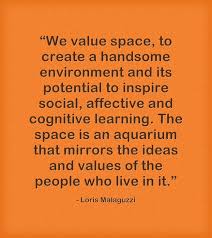
Space is the Third Teacher. We think about it at all times! I have moved classrooms 4 times in my last 6 years at my current school. I have become master at moving furniture but haven’t been able to settle into a space and make it my own. We have an issue at our school where nothing is allowed to hang from the ceiling, everything needs to be 3 feet from the ceiling, and fireproof. It is very difficult to find items that are fireproof in this country! I have searched and find some items, but they are always so expensive. Viewing the space videos and doing some moonshot thinking, space can be changed. My students are in a small space and sometimes don’t have enough room to do a project because they always have to be at the table. I’m not using all the space, there is a floor or the comfortable pillows in the reading corner. Overall, space can either hurt the way you teach because you don’t have enough of it or help the way you teach because you are able to be more creative and inspirational within it. As a teacher of primary students, I am looking forward to reading more about the way that different teachers have set up their learning spaces and how to change mine to help with my own teaching. The way I move around the room and the way that Kindergarteners interact with each other, helps with setting up a room.


I have a typical Primary (Kindergarten) Classroom setup. My room is very colorful and Disney Themed. The space is student-centered. The students have chosen where items need to be stored so that they have easy access. I have 2 large tables in my room so that students are able to collaborate with one another. I have 2 Kidney shape tables so that students are able to meet with a teacher when completing projects or writing assignments. Our computer station is located on tables that have moveable heights to raise or lower depending on the student's’ height or if they wish to stand to complete an assignment. Due to the lack of windows, we have painted on a tree that we change the leaves, flowers,etc on per season. My classroom is the smaller one in the school. My class size is capped at 22, but we have had an overflow of students so I currently have 28 in my classroom. My classroom doesn’t have any windows and is located in the resource hallway. My classroom recently received ‘real’ walls. Since we only have a few outlets and intranet plugs on one side of the classroom, most of our electronics are placed on the right side of the room. We are also unable to place ‘real’ furniture into our classroom because everything has to be fireproof and 3 feet from the ceiling.


We do not have windows in our classroom, so I spoke with my principal this past week and I was allowed to paint a window! Take a look below- our students were so excited and asked about a way to change the seasons inside of it. That will be my goal, how to change the weather inside the window so it’s like the other classrooms.


One big change that I want to make for next year, since we only have 15 days left of the school year is the way that I display items in my room. I want my students to be inspired and creative. I will be making a display on the wall where each student has their own hangar and they can display pictures, letters, drawings, anything they want to share with the other students so we can create a tighter community. Going along with the wall display, I have a lot of posters on the wall that are not age appropriate because the students are unable to read them. I want to design posters with the students to display in the classroom based on something they enjoy. Each year of students is different so it would change from year to year and the students were see themselves as the designers and owners of the classroom.

After reading all the articles and focusing on what my classroom looks like now and how I would like the feel of it to be next year, I came up with 3 goals. The goals are listed here in this document.
Overall, I wanted to let everyone know that they should really take a step back and focus on how they move through the room and how the students want to conduct themselves within it. Get a focus group of friends together, have them walk through your space and come up with a plan of how to change it.

You've got WIDE OPEN SPACES...the world (classroom) is yours to change!


Saturday, May 7, 2016

Testing..Testing..1-2-3


The bar has been raised in Today's Kindergarten.  I was the Kindergarten Class of 1993 and I remember being tested on my colors and letters. I LOVED being chosen to go to the back of the classroom and get the Letter Person for the Week. I sat at the rainbow table beside a boy named Brian and girl named Kayla and drew pictures. ( I received all those items back my Senior Year of High School). Kindergarten was a time for laughter, coloring, fun, imagination and exploration. It was time to be a kid.  Today's Kindergarten, in the year 2016 is a lot like First or Second Grade with the developmentally inappropriate curriculum, testing and only 30 minutes a day to BE a kid.


During my research this week for our EdTechTeam, INC Online Teacher Leader Cohort, I learned like assessing can be joyful and fun. I know, I know- you're probably thinking right now that I drank some weird Kool-Aid or got brainwashed, but I learned different ways and techniques to assess my students without giving a multiple choice, fill in the bubble, circle your best answer test!

Have you heard of KahootEdPuzzleDigital Exit CardsQuizzizzQuiaof and so much more. This Digital Formative Assessment or maybe even Summative Assessment Tools will allow you to create or even use another teachers assessment ( why reinvent the wheel if you can find something you need) to give to your students using computers. It will allow you to see real time data, learn what needs to be re-taught, who need your class needs enrichment or remediation. I fell in love with Kahoot and made about 4 different 'games' to assess my students' learning. The best part about it- they asked for more! I have a student in my class that suffers from testing anxiety ( I know, a 5 year old suffers from something they should never have to worry about, but the system is broken) and he was able to take the assessment without having to take multiple breaks ( these companies are working on fixing the broken system, one step at a time).


My students were given this Kahoot Game based on Shapes in the Real World. Currently our curriculum has the students naming shapes based on just the math manipulatives. When we move on to teaching with the shapes and looking at patterns in nature, our students get confused. They are unable to look a pattern in nature because they cannot find a shape in nature. I designed this Kahoot Game to allow the students to focus on shapes they see everyday, shapes are around us all the time.

As a cohort member, we were invited to attend a HOA (Hangout On Air) with the founder of JoeZoo. I had never heard of the company before attending the HOA, but was very surprised to learn that it was an Add- On for Google Forms. I have used a few Add-Ons before after attending GAFE Summits, but this was one that wasn't on my radar. Many of the Add-Ons are geared towards Secondary Educators and it lacks a primary feel, however I as able to use this App to design a rubric for my class. I was easily able to download, sign in, and create a rubric using their step by step process. If you have students that write papers or turn in assignments using Google Docs, you can use the add-on to grade the paper and send the student feedback. Take a look at the rubric and try out the Add-On yourself.


Digital Assessments, as you have seen from above, can come in all different ways. An example of a Google Form Assessment is here. I used Flubaroo for my Google Form Add-on. I had never used this Add-On before because I do not give my students assessments on the computer. This one is very user friendly and I was easily able to see which students had difficulty with the vowel sounds. I was able to go back and reteach as well as realign my reading groups.

Overall, my experience using Digital Assessments and the Digital Tools to design them allowed me to focus on teaching the students rather than testing to a test. My students were able to have fun, I was able to collect data and quickly see where I needed to go with the next lesson. My last activity that I tried in my class was a Digital Exit Card/Ticket. The students were in computer lab and we had just completed a math lesson on positional words. The students had to illustrate a positional word using KidPix or Inspiration. Here are the results of that assignment.  I recommend telling the students that they cannot use the items in your example because I saw a lot of repeat picture items similar to my own drawing. The students enjoyed it, I was able to collect data and no one knew it was a 'test'.


As teachers, if we are able to make learning fun and not teach to the test, we will be able to get back circa 1993 and how a kid can be a kid. Developmentally Appropriate Curriculum, Digital Tools, and a little bit of good ole fashion fun.


Friday, April 22, 2016

Taking off the Blindfold

In the beginning of our Visual Literacy Course we designed posts about what we thought about the pieces of the HoneyComb or the different courses that we have completed and how it relates to our classroom.  I was excited to learn about Visual Literacy because, as a Kindergarten Teacher, one can only imagine the amount of items that a student 'reads' by looking at the object.

We used a program called Canva.  If you have never used it- give it a try! It is amazing.  I created a Twitter post and just from that post alone- I gained 14 FOLLOWERS! WOW! An image really does have a 1000 words. Take a look at my post here.


Now came the really hard BUT amazing part of the course. We studied and learned about all the different ways that Visual Literacy can be displayed.  Visual Presentations, Infographics, Videos, etc. We had to design a lesson that we could use in our classroom to make a concept that is normally hard for a student to learn a little easier.  I went back and forth between math, language arts and science. I ended up with looking at one of the hardest things that we teach in Kindergarten, Vowels.  We don't have much of a problem with Long Vowels because long vowels say their name.  Short vowels on the other hand can be tricky. 

I created a lesson with Google Slides and used images that every Kindergartener- ESOL or General Education would be able to recognize. 

Take a look at the presentation here

I also made a youtube video explaining how to teach the lesson and why it is taught using the pictures chosen Here

Tuesday, April 5, 2016

Flipping NOT Flopping!


When I looked at the upcoming unit for our Cohort and noticed FLIPPED LEARNING... I looked like this 

I had no idea HOW I was going to be able to flip a Kindergarten Classroom. It took some researching and conversations on Twitter and Google+ to really get me thinking I could even come up with something to have the students watch. But then... I read the 4 Pillars of Flipped Learning and came across an article on Flipping a Kindergarten Room

After having a better insight of different ways that I could flip my room, I realized this wasn't going to be a Flop! I could add the videos into a rotation in my math class! That way I was able to help if someone got stuck because something technology wise happens or if the student is not able to understand the questions asked. I was beginning to feel more comfortable. 

My next step was to figure out which strand I was going to work from to make my videos. The first thought in my mind was TIME. Our students were going to be beginning the unit and I could try out the lessons with more than just one class. 

I started off thinking...WHERE CAN I PLACE THESE LESSONS?!?!?!?
I remembered that our school has Blackboard 24/7 where students go to access our online textbooks and lessons! Perfect place to upload lessons. 

I made my first lesson using the BrainPop. Jr videos and my second lesson using Powerpoint/Screencaster/Zaption. I am in love with Zaption! It is one of the best things I came across, right up there with EdPuzzle. I am learning so much in this course. 

Here is my Planning Form for my Flipped Learning Lessons. Feel free to use them, but please give me credit if you wish to copy or use in your school. Thank you. 


Thursday, March 24, 2016

Driving Questions, Projects, Showcasing...Oh My!


This week in our Teacher Leader Online Cohort we discussed Project Based Learning or PBL.  This is something that our county is currently looking to move towards. Some of the elementary schools in our county have been piloting PBL for the last couple years. I haven't been able to find any feedback on the study, but have been able to access the county PPT via our school principal and a fellow cohort member.  Looking at the county PPT slideshow, Barb Bailey, a fellow cohort member and colleague decided we needed a presentation geared towards teachers that would allow them to understand the meaning behind PBL and why we should use it. The Presentation can be seen here.

We have shared this presentation with our Principal and Assistant Principal and they both really appreciate that we took a concept so large and placed it into terms/visuals a teacher of any age can understand.

Now, these presentation of course can not be complete unless you are able to demonstrate what Project Based Learning can look like in your classroom. Thinking of my 23 little people running around my classroom, always getting their hands into something, asking me EVERY day before recess, DO I NEED A JACKET?!  It hit me like a Mac truck! Weather! I can develop a project for the students to complete to help each know what they should wear during the four seasons.

I began my work of developing something a little easier for the students to work with on the internet. I could have them research multiple topics of Winter, Spring,Summer, Fall on kadoole.co or googlejunior.com, but I wanted to ease them into internet research.  I came up with a plan to make a WebQuest type activity.  My students need to feel comfortable with their navigation skills first before I allow them to go onto the internet.  Many of the Internet Safety lessons from CommonMedia would need to be presented to these students.  This would be a project of group nature that would last at least a few weeks.  What better way to get your students back to asking provocative questions?

The entire lesson and WebQuest can be seen here.


Saturday, March 12, 2016

Digital Citizenship

Photo shared from itensamericas.org


 DEFINITION of Digital Citizen: A person who uses the Internet regularly and effectively. 
 
A good digital citizen is one who knows what is right and wrong, exhibits intelligent technology behavior, and makes good choices when using technology. Much as we want our students to be good citizens in the real world, we want the same in the digital world. Characteristics of a good digital citizen include:
  • Being confident and capable of using information communication technologies
  • Using technology to participate in educational, cultural, and economic activities
  • Developing and using critical thinking skills in cyberspace
  • Using technology to relate to others in positive, meaningful ways
  • Respecting the concepts of privacy and freedom of speech in a digital world
  • Contributing to and actively promoting the values of digital citizenship
Ensuring students understand the importance of good digital citizenship and the potential impact of a negative footprint requires the work of parents and educators. Here are some tips that both students and educators can use to maintain their digital footprint:Think long term. What seems fun today could have long-term consequences. 
  • Use privacy settings on your social network pages. Don't use public posting.
  • Protect your friends' privacy as well as yours.
  • Use the Golden Rule online - treat others the way you want to be treated. 
In order to teach students about the hazards of online, primary students need to first understand the 'Places to Go Safely' 

A few cohort members and myself designed a Google Slides lesson to teach students the importance of Being Safe on the internet. 

To view the lesson please click on this link here 

A Kahoot Game for review can be found at this link 


Global Community and Collaboration

PLN...    IOWA...    VA...     GHO...    3 Classes    ...    

AWESOME Collaboration


Ms. Stout's Kindergarten Class sharing their descriptions with Mrs. Kilgore and Mrs. Gjerde's Classes

When this class first started, I wasn't share how I was going to be able to collaborated with other teachers because I was the only Kindergarten teacher in the cohort. I normally don't let this bother me, but when the assignments need collaboration/group work and I can't do them on my own- I have high school flashbacks.  It's hard to get people you see all the time to collaborate, let alone trying to get someone in a different time zone. Well, I sent an email, shared an idea and BOOM! two weeks later my class was talking to 42 First Graders in Iowa. How amazing!

As Kindergarten and First Grade teachers, we knew that our students needed something that they could experience 100% at the same time.  Small children have a hard time waiting for results. Doing a Google Hangout ( GHO) allowed all of our students to see timely results right in front of their eyes. 

Our lesson involved lots of writing, drawing, listening and understanding of math curriculum words. In this lesson, two classrooms have each taken time to design a monster. These monsters will then be shared with each other using Google Hangout. The students in Class A will be using descriptive words and phrases to tell Class B about their monsters. They will describe the shape and the location of all body parts. Class B will then design the monster as Class A is giving them clues. At the end of the exchange, Class B will turn their monsters around to see if they designed Class A's monster correctly.  * If time allows Class B will describe a monster to class A.

My students Monster they shared with the other class


Our lesson can be viewed here for anyone to give it a try with their class. 


Wednesday, March 9, 2016

Google Hangouts and Kindergarteners...OH MY!

Tomorrow afternoon at 1:30 pm in Room K- Stout with over 20+ Kindergartners the computer will ring...


Who will be on the other end of the call???

The excitement is in the air for my classroom full of energetic five and six year olds. Through the EdTechTeam Teacher Leader Cohort I was able to connect with a teacher in Iowa.  We were will calling each other through Google Hangout and conducting a lesson that I have done with Pen Pals.  I'm excited to see how this will work out with technology involved. The students will not have to wait for snail mail! 

The Monster Exchange goes down in T minus 24 hours.... let the countdown begin.  

EdTeachTeam Online Cohort

Well hello again blogger world! It's been a couple crazy years and I haven't had the time to blog as much as I used to back in Grad School.  Well hold on to your knickers because I've gone back to school again.  Don't they always say that Teachers teach their students to love learning? What better way then to go back to school yourself!


I ready to learn....bring on the Honey Comb! 


Saturday, March 29, 2014

Check Out My Tools... My 2.0 Tools ;)

Designing Lessons Using the Correct Affordances Can Make All the Difference 


In Summer of 2013, I took an online class in which I had to design a lesson plan for my school or class to implement BUT I could only use web 1.0 tools.  Now, I have to say that when we normally think about the internet and sharing on the internet...what comes to mind? Facebook, Blogging, Twitter, Google Docs, etc. I was unable to use any of those kinds of internet based structures.  

My Plan was this... 

Educational Purpose of Project:  In this project, students are able to have a hands on learning experience to be published authors. The Newsletter Connection provides students with an opportunity to publish their written work.  Students will be motivated to improve and utilize their writing skills in order to have their work published in the school’s electronic newsletter.  Students will submit their work to an online website set up by the school to allow other schools around the world to vote for which articles, poems, songs, etc. to make the next issue.  There will be a two weeks timeline to submit work and two weeks for voting to take place.  Students are able to reflect upon 
their work by reading the comments submitted by the voters. 

I took what I had at the time to produce this lesson and make it happen... NVU ( a web design software program..Cheap version of Dreamweaver) was being used. 

Description of Project Plan:  Newsletter Connection is a project for students to submit work to an online website for other schools to comment and vote for the best work to be published in the schools newsletter. For example, if I wish to have my students at a local elementary school make a newsletter for the schools I would create a profile for my school and select a topic for the students to write about.
Example: Flint Hill Elementary students will now have the opportunity to be published authors! Fifth grade language arts classes will be responsible for establishing the quarterly theme, reading the submitted work and selecting appropriate samples, contacting the authors if changes need to be made, and organizing the published pieces on the newsletter.  All students K-6 are eligible to submit work connecting to the given theme.  Submissions will be collected for a month and then displayed for a month.  Each quarter the cycle will repeat.

            Teachers at a school that wishes to implement this type of project must set up an account to the Newsletter Connection Website.  After submitting a form to the website a confirmation email will be sent back to the teacher letting them know they are all set up to participate and a name for them to use when submitting their entries (flinthill k-6). There will be a strict timeline that all classes must follow.   Students will then be able to submit their work based on the topic that is set up by the school.  Other schools that are signed up on this website will be able to vote for your submission.  The voters are also able to leave positive and constructive feedback to each entry.
            Once the submissions are voted upon and the voting has ended, the website will let the teacher know which articles have won.  The teacher will then be able to place the winning articles into a template to publish or allow a news team at their school to conduct this activity.
            This activity could go on multiple times during the year, either monthly or quarterly. 


Now... step to WEB 2.0 TOOLS..

I could take this design make it into a newsletter that is collaborated on using wikispaces, blogger, google sites... You NAME it I could make my school newsletter by allowing my students to use the tools that allow them to collaborate, communicate and design together or apart. 

With the upgrading of the internet tools, I could take my design to allow people around the world to view our school newsletter, add videos, announcements daily- the skys the limit. 


Saturday, March 15, 2014

EdTech.. Digital Classroom

Video in the Classroom...yepp, you read that correctly. Students- Your KINDERGARTENERS!- are using video cameras in the classroom.  Yes!


In addition to being fun and motivating, video projects teach students to plan, organize, write, communicate, collaborate, and analyze.  A successful video project has undergone a process of researching, scripting, organizing, filming, editing, and publishing. Students also have the opportunity to apply artistic and dramatic skills to their academic work.

With the proliferation of webcams, phone camera, flip cams, digital recorders and editing tools already installed on computers, video has exploded in the media lives of students.  Many of them spend as much time, if not more, watching YouTube as opposed to television. As I learned at the Google Summit in Charlottesville, some colleges even include video submissions as part of their application process. As this media further matures, students may need to be able to express themselves as effectively through moving imagery as with the written word.

And you thought, Kindergarten Teachers had troubles getting a student to hold a pencil correctly?!?! 


But as I have learned in my Graduate studies, using video could be as simple as recording a student oral presentation for future review, or as elaborate as producing an original short film or PSA. Depending on the complexity of the project, consider the steps needed to ensure that your students create thoughtful final products that demonstrate their knowledge rather than pieces full of flash but potentially lacking in substance. 

Remember with little ones- a video project does not have to only include actual footage captured by a video camera. Still images can be combined to create an animated slide show or to enhance existing footage that the students took. Many audio tools on programs such as iMovie, or Windows Movie Maker allow students to create a narration to accompany the imagery or add a sound track. Most editing software also includes the ability to add titles or captions to both video as well as image files.

Not every student is the next Ron Howard, but little minds are surely creative... 


Saturday, March 8, 2014

OMGoogle! #gafesummit


Presenting at the Google Apps for Education Summit


This weekend I drove down to Charlottesville, VA with my team member Shannon Kuykendall to present at the 2nd Annual Google Apps for Education Summit.

To access my presentation: Please click on the link here. Comment below if you have any questions regarding Google Apps in the Elementary Classroom.

Sunday, March 2, 2014

Erase Law?! What the Social Networking!


As I ponder what I am going to be writing about I click on the Fox News Icon on my Facebook Page and what story appears California allows minors to delete social media posts, with 'erase' law


Teens using Social Media from Fox news


This is the first law in the country and is being hailed as a good step toward giving "under-18 internet users a chance to remove regrettable postings and preserve their reputation".  James Steyer, founder and chief executive of Common Sense Media has said, "This puts privacy in the hands of kids, teenagers and parents, not under the control of an anonymous tech company."

I must say that I do not agree with this new law.  I'm a true believer that everything you do shows your true character.  I don't believe that teenagers should be able to put down someone on the internet through any form of media and then be able to take it back.  I understand that it will help the victim in the case, but why help the reputation of the child that decided bashing someone online was a good thing to do in the first place.  They should be able to feel the repercussions for their actions. 


Besides this new form of legislation that begins in January 2015, a bullying outbreak in Instagram has begun in recent months.  Have you ever heard of the Elimination game

Did you know that there are Beauty Pageants on Instagram? That 'besties' are doing this to each other? Wow! I'm sickened by what I was reading on the internet after I typed in a few words about the Elimination Game

See, right now, as I sit here typing this, there is a tween girl with an iPhone somewhere making a grid out of four pictures of her besties using Instacollage. When she's finished, she will post that grid on Instagram, and then write something along the lines of: BEAUTY CONTEST! VOTE SOMEONE OUT! Did you just throw up in your mouth a little? 
But wait. That's not even the worst part. Because what happens next is this: People will actually vote for who they think is the least attractive in the comments, and whichever girl's name is written the most will be awarded a big fat X drawn across her face. Do you want me to repeat that last part? Of course you don't, but I'm going to anyway. Whichever girl's name is written the most will be awarded with a big fat X drawn across her face.
Then the question will be repeated two more times, until there is only one gorgeous X-free girl left standing, the fairest of them all!
Can you believe that teenager girls are doing this to their friends?!? I'm sorry, but a friend that is going to put you up on a 'contest' like this is no friend at all. 
Some states are fighting back.. check out this investigation at Ladue Middle School in St. Louis
With all of this happening on Social Networking sites today, I'm sure more laws about internet bullying with appear in a few years.  Bullying has become more mainstream with the use of the internet, because students who are too afraid to say it to a person's face can hide behind a computer screen and say it there.  

Teens need to remember that Beauty if Only Skin Deep and that whatever you say on the internet, even with a law, can never be erased from the person's mind that you wrote about.  Think before you write.